< 1 min read
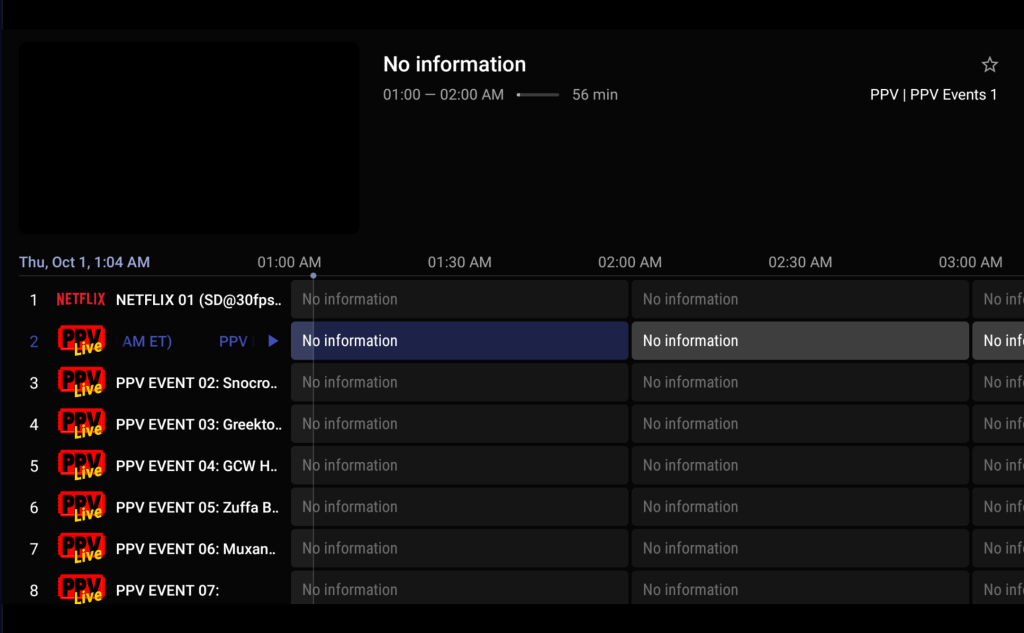
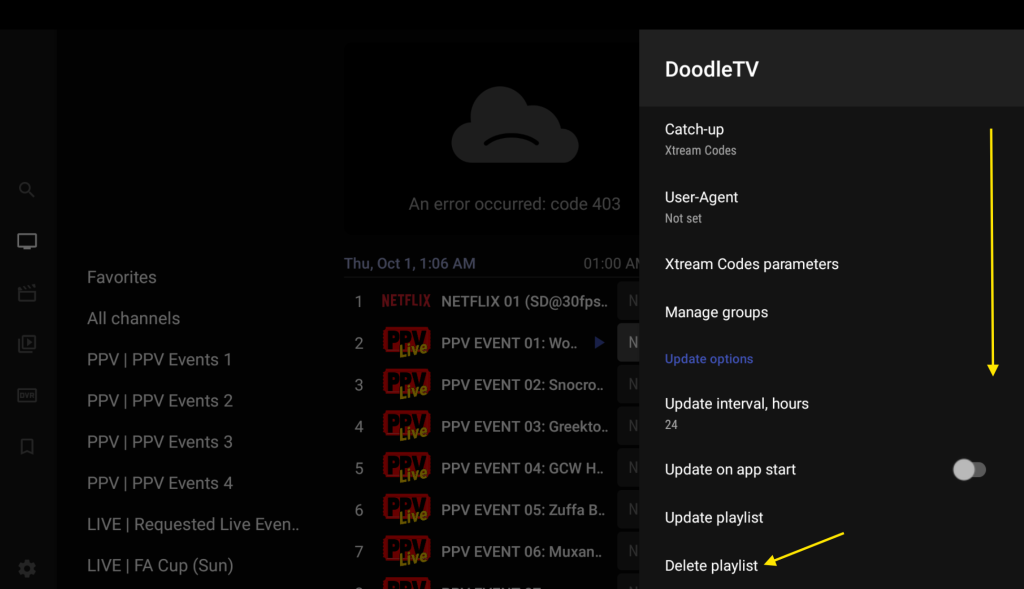
If you already have the service you will see like this or “No Channels”
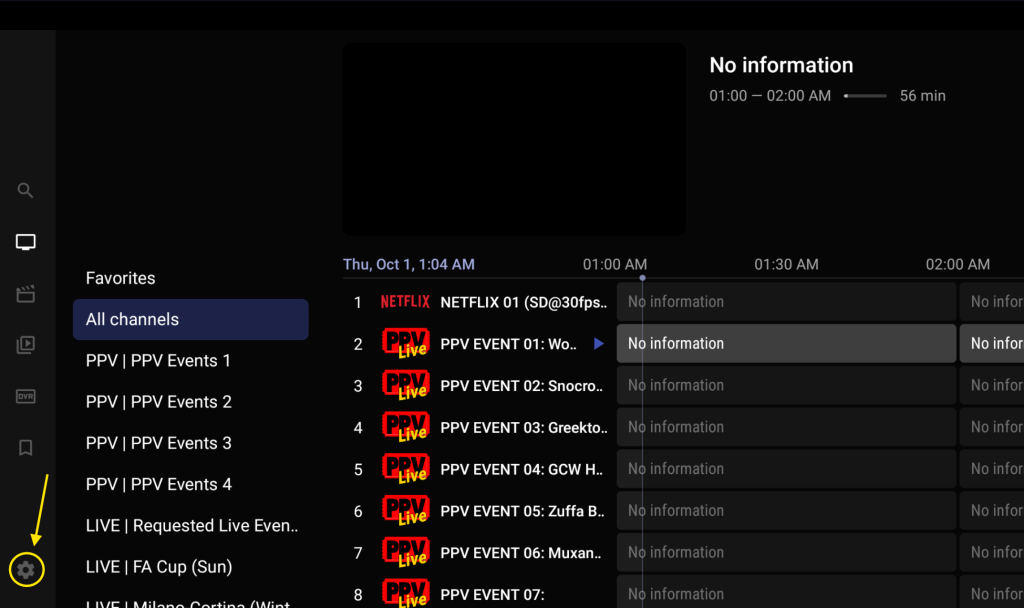
Press Menu ☰ / Back Button on your remote the side bar will appear
On the sidebar
Click Gear ICON ⚙ .
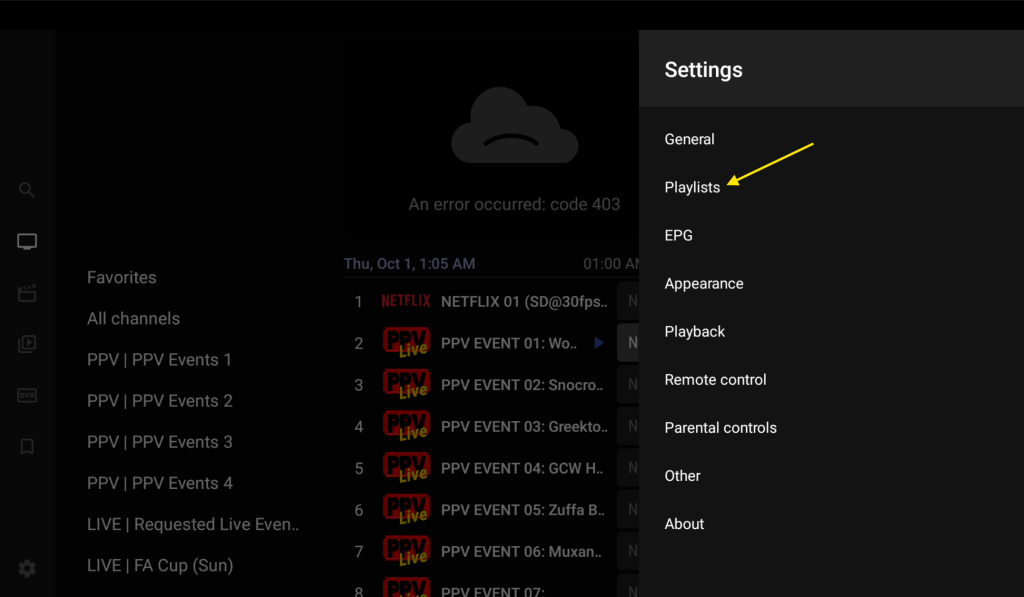
After Settings Menu Appear.
Go to Playlists
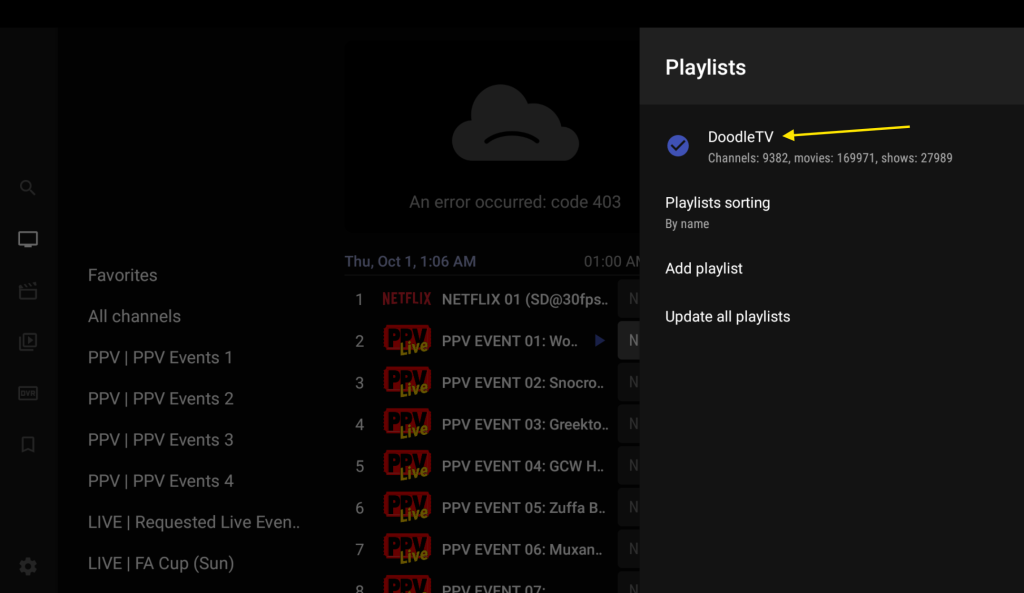
Select the playlist you have already and open it
Scroll Down.
And Delete Playlist
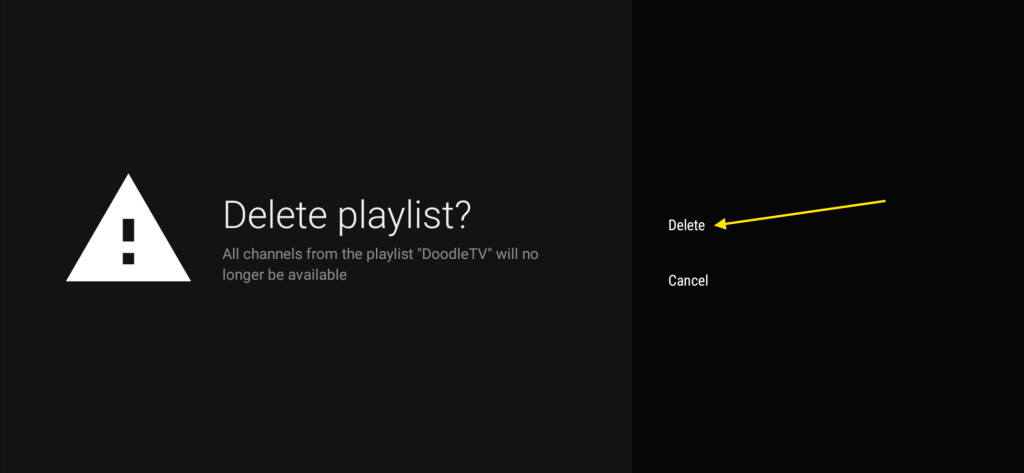
Click Delete
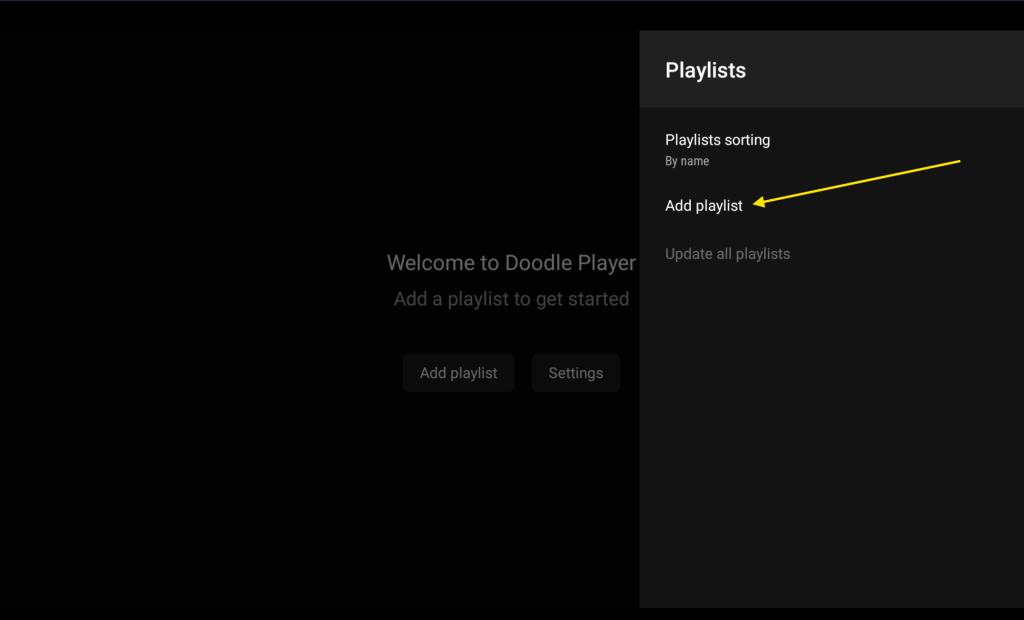
After Playlist is deleted.
Press Add playlist
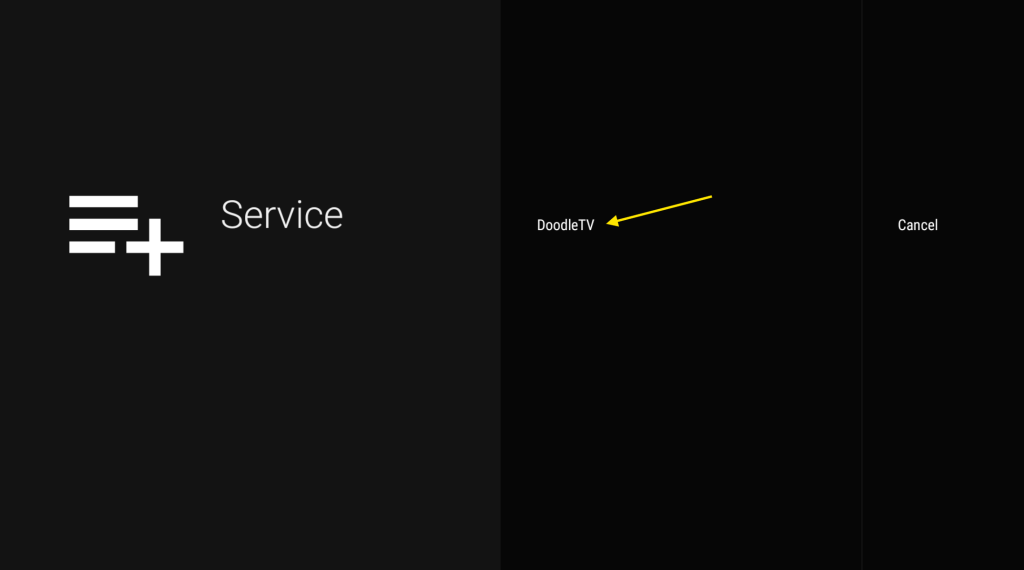
On Service screen ,
Select DoodleTV
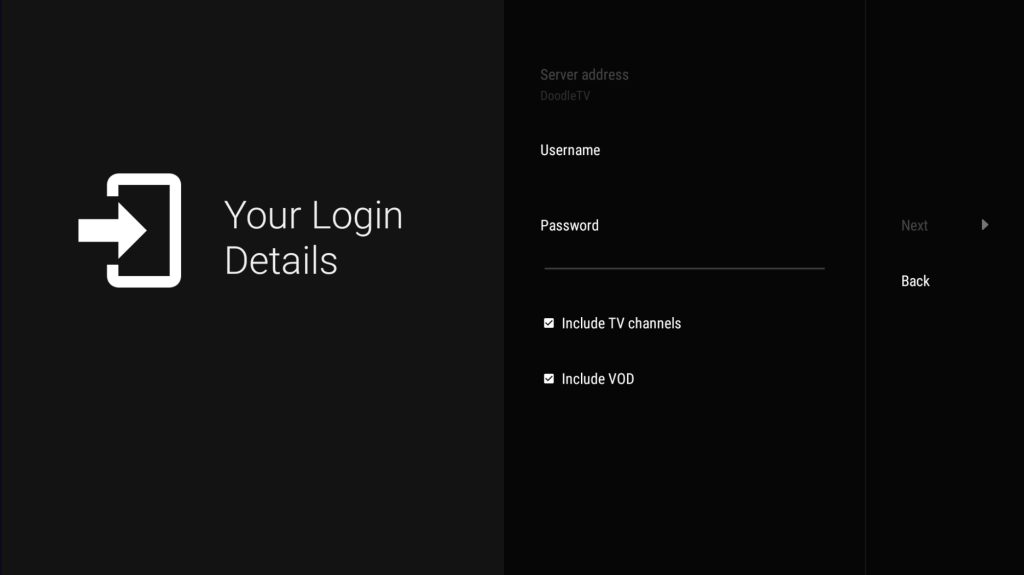
Enter your login details
The Username / Password is case sensitive .Refer to your Welcome Email or Text Message
Make sure you enter the password correct.
It’s easy to mistake a capital i or lowercase L for the # 1 or capital O for the # 0
*If your still having a problem logging in, please send us a picture in the chat box at the bottom right of your screen*
Click Next
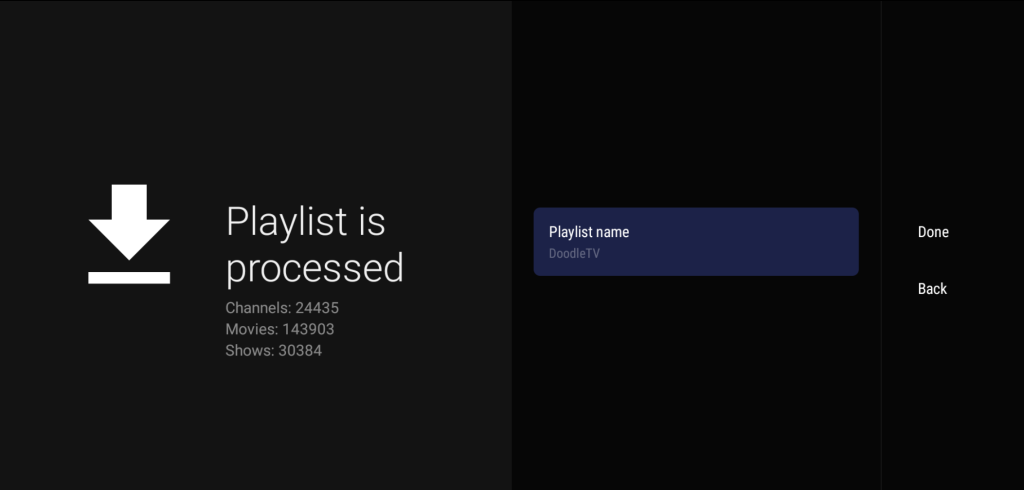
If All Set this screen with channels count will appear
Click Done.
https:// doodletv .zorvia .top
Powered by BetterDocs